
AI Projects: Persistent Context
The game-changer most people don't use — persistent context that carries across conversations.
INFO
- Time: ~25 minutes
- Difficulty: Beginner
- What you'll learn: How to set up AI assistants that know your work
This Page Covers
- What Are AI Projects? - Persistent context that carries across conversations
- Setting Up a Project - Step-by-step for Claude and ChatGPT
- ChatGPT Memory - A different kind of persistence that works across all conversations
- Custom Instructions - Templates for different use cases (business analyst, writing assistant, researcher)
- What to Upload - Documents that make AI more useful
- Privacy Considerations - What to think about before uploading
What Are AI Projects?
Both Claude and ChatGPT offer "Projects" - a way to create specialized AI assistants with persistent context. Instead of re-explaining your situation every conversation, you set it up once and it remembers.
What you can do:
- Upload documents - AI can reference them in every conversation
- Set custom instructions - Rules that apply to every response
- Create specialists - Different projects for different types of work
Think of it like: Creating a new employee who already knows your company, your style, and your preferences - without the onboarding time.
Why This Matters
Without projects, every conversation starts from zero. You constantly repeat:
- "I work at a B2B software company..."
- "Our target audience is..."
- "I prefer concise responses..."
With projects, you set this context once. Every conversation in that project already knows.
Setting Up a Project
Step 1: Create the Project
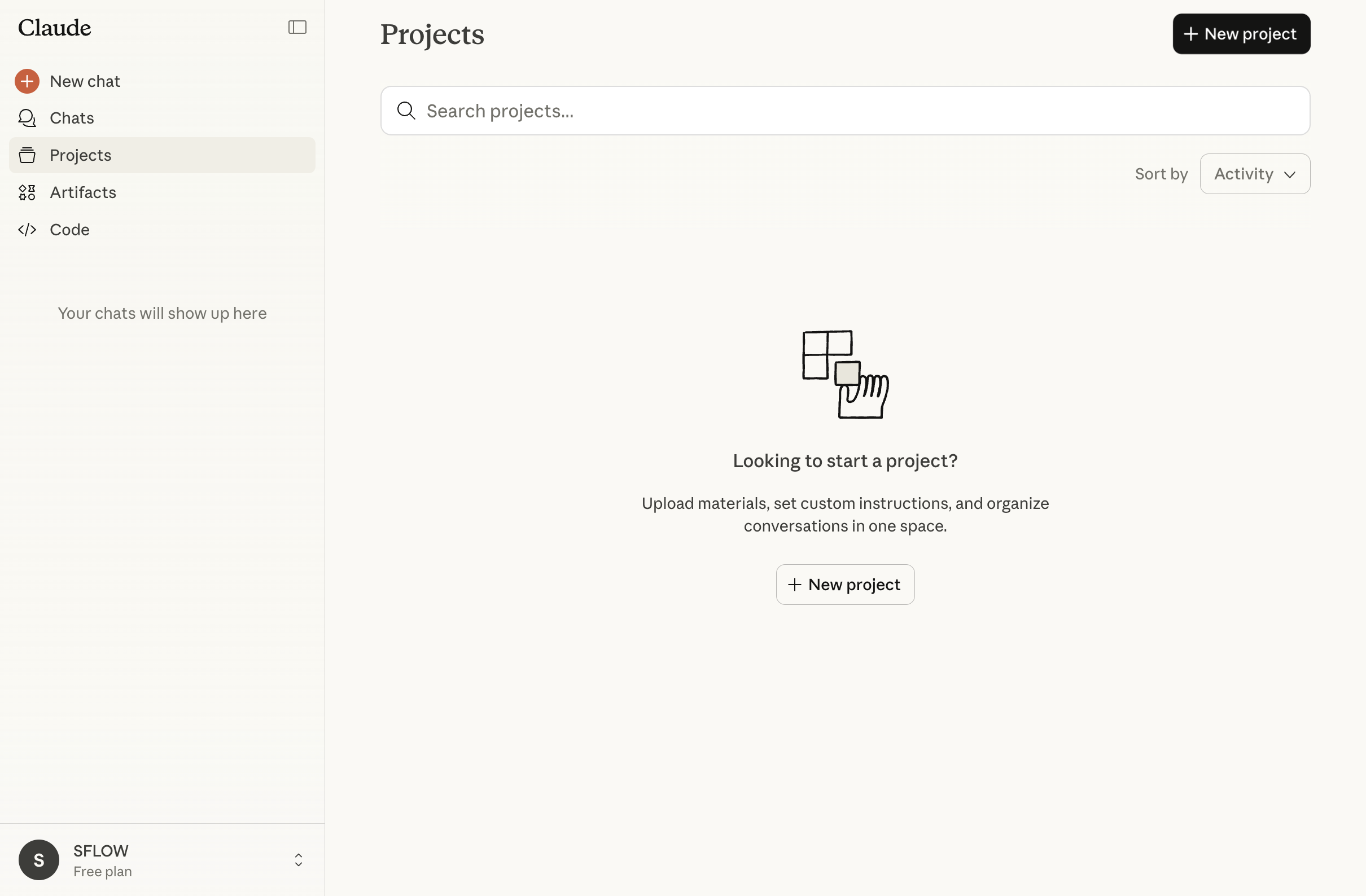
- Go to claude.ai
- Click Projects in the left sidebar
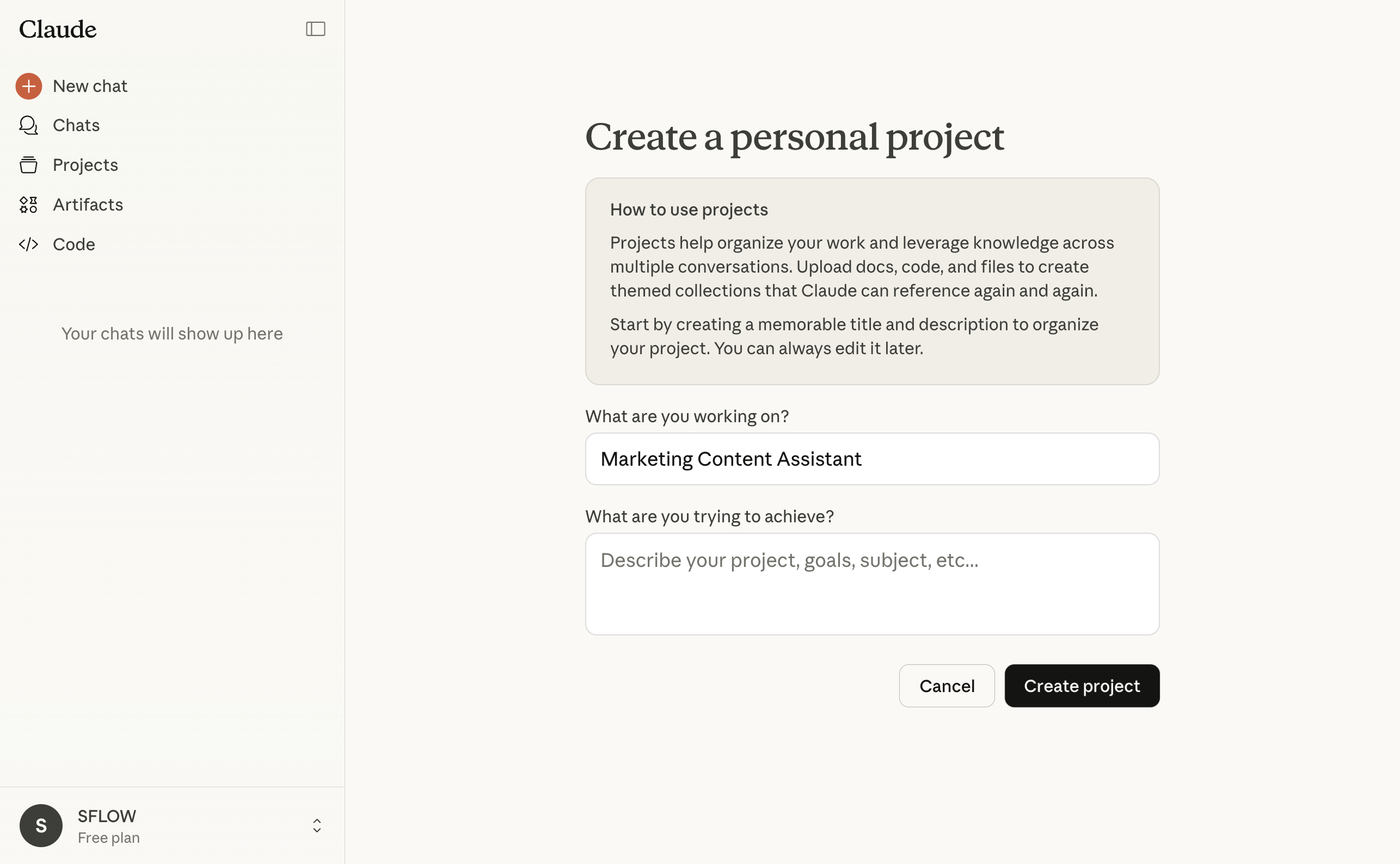
- Click New Project
- Give it a descriptive name (e.g., "Marketing Content", "Client Proposals", "Research Assistant")
Step 2: Add Custom Instructions
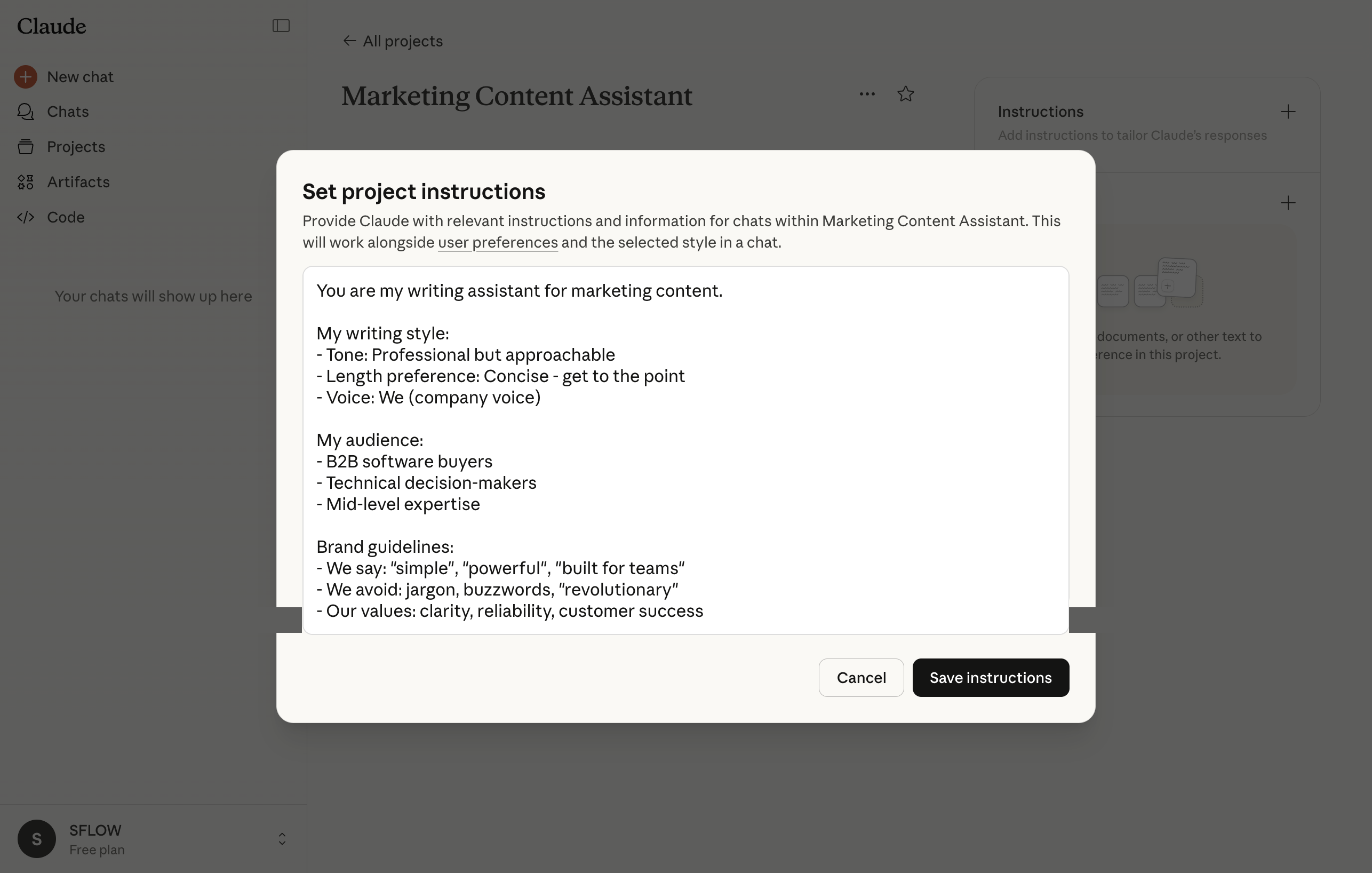
Custom instructions tell Claude how to behave, what to assume, and how to format responses.
Click Edit Project Instructions and add your rules (see templates below).
Step 3: Upload Relevant Documents
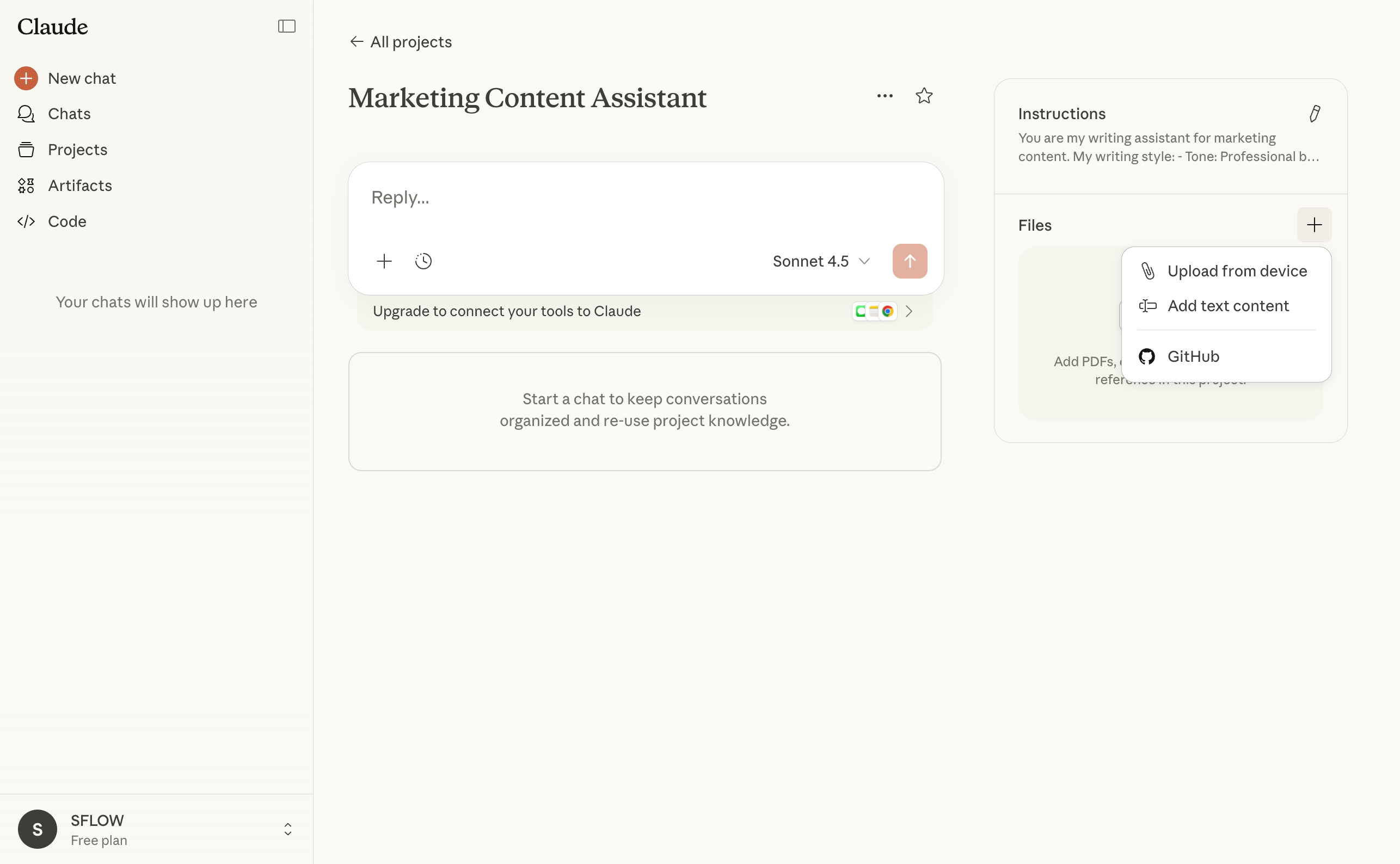
Add documents Claude should reference:
- Click Add Content or drag files into the project
- Supported: PDF, DOC, TXT, CSV, and more
- Size limits apply (check current limits at claude.ai)
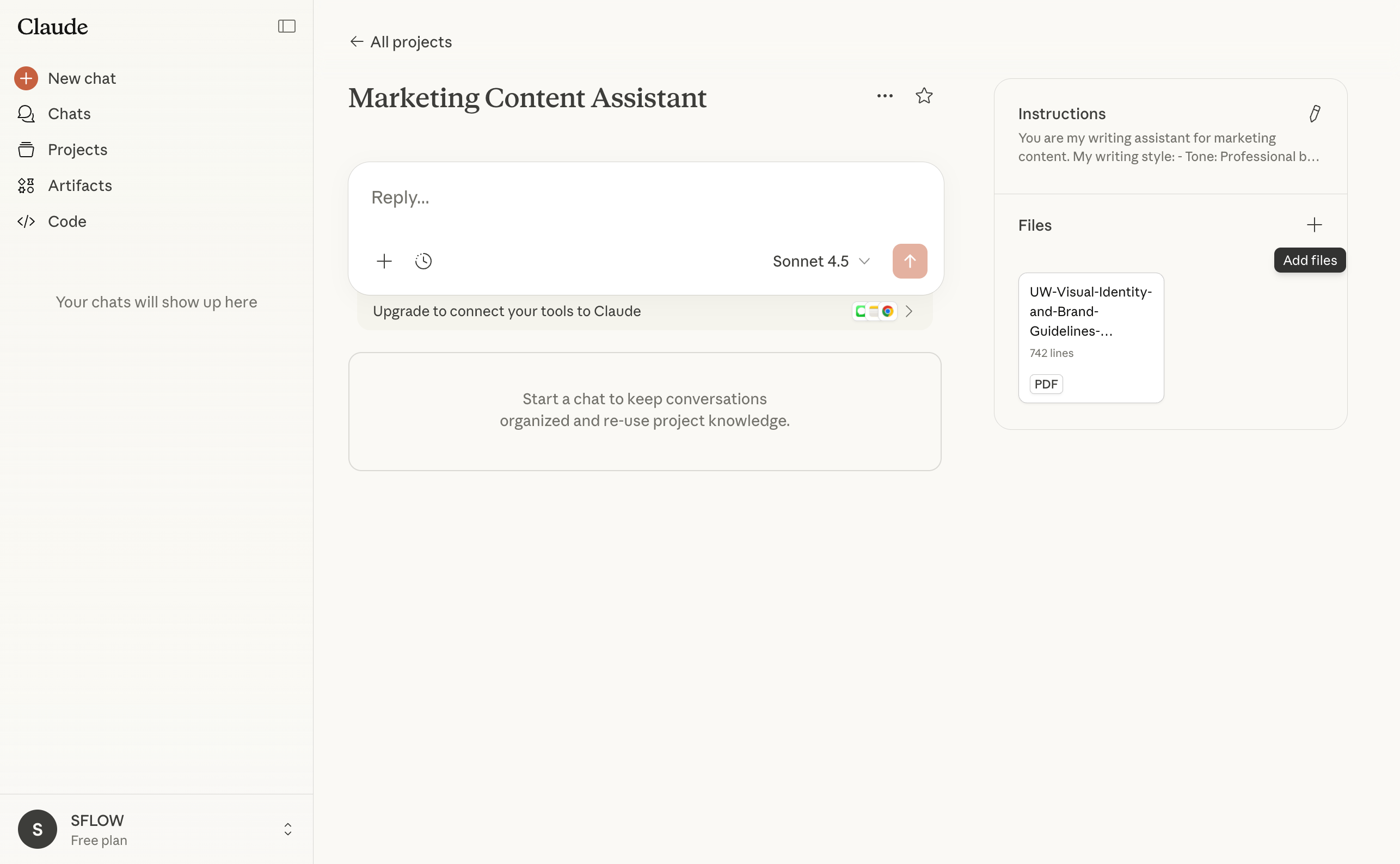
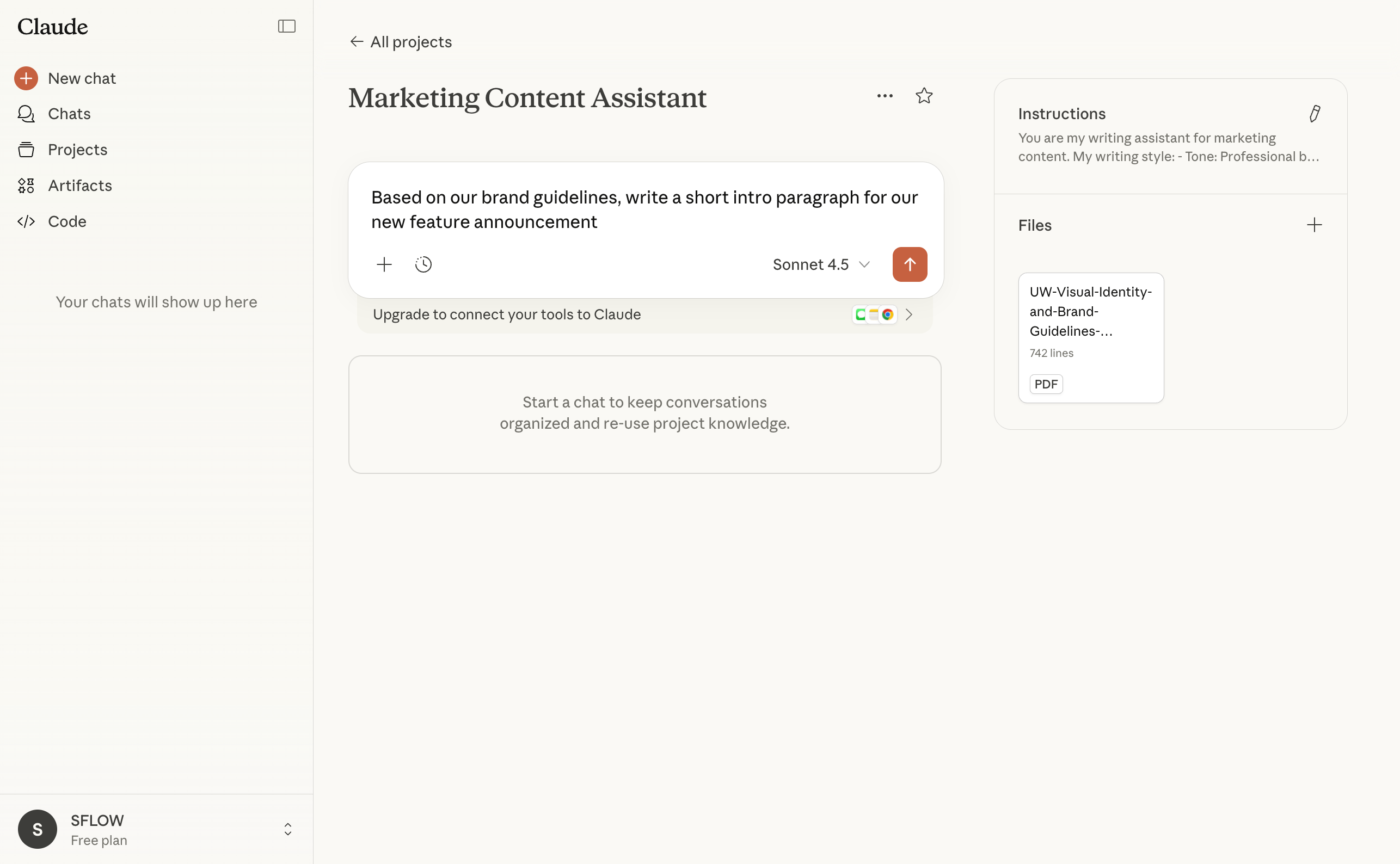
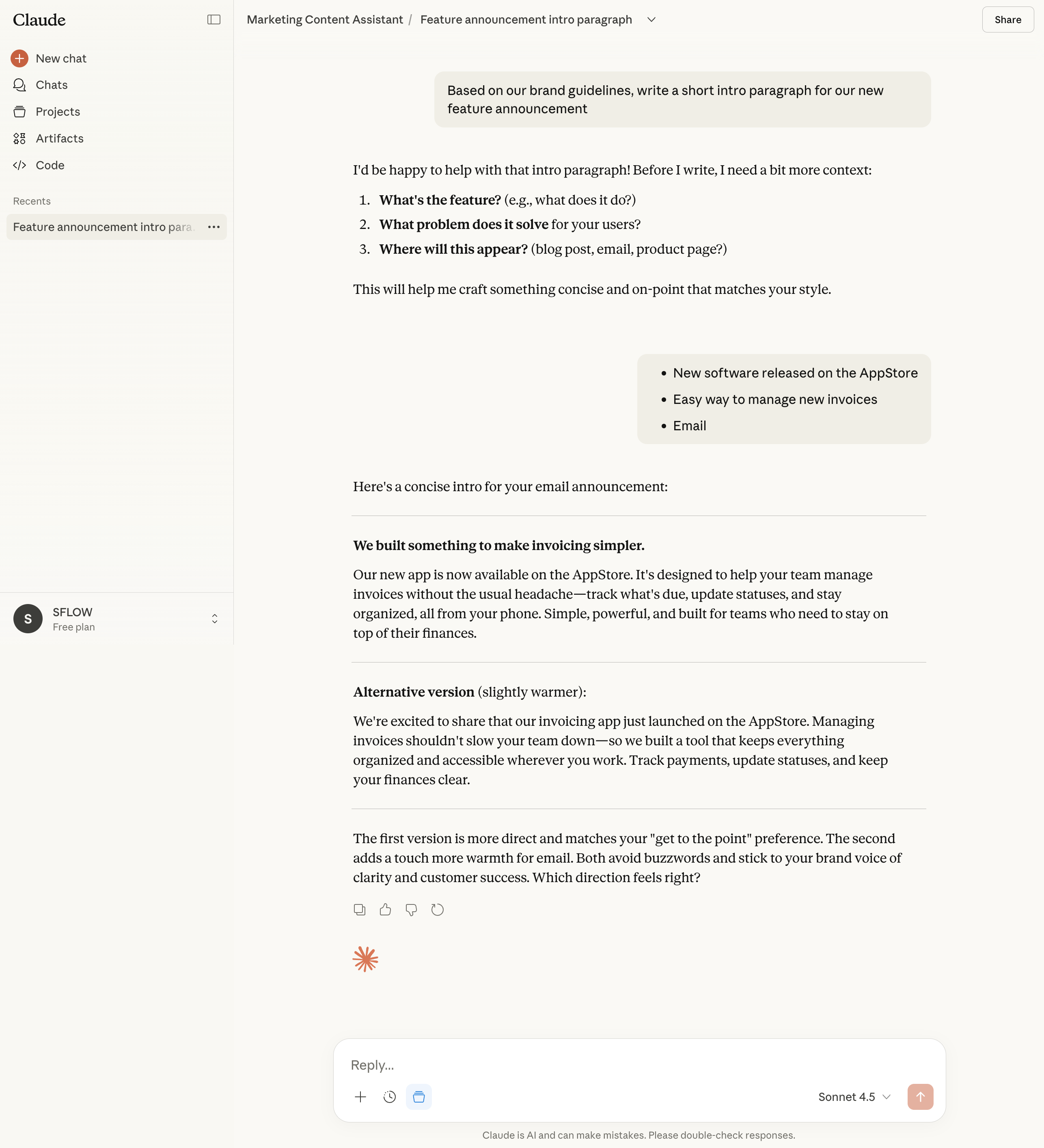
Step 4: Start a Conversation
Click New Chat within the project. Claude now has access to your instructions and documents.
ChatGPT Memory: A Different Kind of Persistence
ChatGPT has a feature called Memory that works differently from Projects. Understanding the difference helps you use both effectively.
Projects vs Memory
| Feature | AI Projects | ChatGPT Memory |
|---|---|---|
| Scope | Specific to one project | Applies to ALL conversations |
| What's stored | Documents, instructions | Facts about you |
| How it's set | You configure it explicitly | ChatGPT remembers from conversations |
| Use case | Specialized work contexts | Personal preferences |
How Memory Works
ChatGPT Memory stores facts you tell it (or that it learns from conversations):
- "I'm a product manager at a tech startup"
- "I prefer bullet points over paragraphs"
- "My team uses Python, not JavaScript"
- "I'm allergic to peanuts" (if you're asking for recipes)
These facts then influence ALL future conversations - not just within a project.
Managing Memory
To view/edit memories:
- Go to ChatGPT Settings
- Click Personalization → Memory
- Review what ChatGPT has stored
- Delete anything incorrect or outdated
To add memories manually:
- Tell ChatGPT directly: "Remember that I prefer concise responses"
- ChatGPT will confirm it saved the information
To prevent memory:
- Say: "Don't remember this" before sharing something
- Or disable Memory entirely in settings
Using Projects + Memory Together
The most effective setup uses both:
Memory for your general preferences and background
- Your role and company
- Communication style preferences
- Technical stack you use
Projects for specific work contexts
- Marketing project with brand guidelines
- Client project with their requirements
- Research project with relevant papers
This way, ChatGPT always knows your general preferences (Memory), and has specialized context when you're in a specific project.
Claude Note
As of now, Claude does not have an equivalent "Memory" feature - it only has Projects. Claude's persistent context is entirely project-based.
Custom Instructions That Work
Copy and customize these templates for your projects.
For a Business Analyst
You are helping a business analyst at [COMPANY TYPE].

About my role:
- I analyze [TYPE OF DATA/DECISIONS]
- I present findings to [AUDIENCE - executives, stakeholders, etc.]
- My deliverables include [reports, dashboards, recommendations, etc.]

When I ask for analysis:
- Start with the key insight, then supporting details
- Quantify when possible (percentages, comparisons, trends)
- Flag assumptions you're making
- Suggest what additional data would strengthen the analysis

Formatting preferences:
- Use tables for comparisons
- Use bullet points for lists of findings
- Keep summaries to 3-5 key points unless I ask for more detail

Industry context:
[Add relevant industry information, terminology, competitive landscape]
For a Writing Assistant
You are my writing assistant for [TYPE OF CONTENT].

My writing style:
- Tone: [Professional but approachable / Casual and conversational / Formal / etc.]
- Length preference: [Concise - get to the point / Detailed - thorough explanations]
- Voice: [First person / Third person / We (company)]

My audience:
- [Who they are]
- [What they care about]
- [Their expertise level]

Brand guidelines:
- We say: [preferred terms, phrases]
- We don't say: [avoided terms, competitor names, etc.]
- Our values: [key messages to reinforce]

When writing:
- Match the style of documents I've uploaded
- Suggest alternatives when something feels off-brand
- Ask clarifying questions before writing long pieces
For a Research Assistant
You are my research assistant for [DOMAIN/TOPIC].

My background:
- My expertise level: [Beginner / Intermediate / Expert]
- I'm researching for: [personal learning / work project / decision-making]

How I want information presented:
- Start with a summary, then details if I ask
- Cite sources when making factual claims
- Distinguish between established facts and emerging research
- Flag when information might be outdated

My research focus:
- Primary topics: [List main areas of interest]
- I'm particularly interested in: [Specific aspects]
- I'm less interested in: [What to de-emphasize]

When I ask questions:
- If you don't know something, say so rather than guessing
- Suggest related questions I might want to explore
- Point me to authoritative sources for deeper reading
What to Upload
The right documents make your project significantly more useful.
High-Value Uploads
| Document Type | Why It Helps |
|---|---|
| Brand guidelines | AI matches your voice and style |
| Strategy docs | AI understands your goals and priorities |
| Past work examples | AI can match your existing quality and format |
| Product/service info | AI can answer questions accurately |
| Competitor analysis | AI can position against alternatives |
| FAQ / Common questions | AI can reference standard answers |
How to Get the Most Value
- Be selective - Upload 5-10 highly relevant documents, not 50 tangentially related ones
- Use good documents - If your brand guidelines are outdated, AI will reference outdated info
- Update periodically - Remove stale documents, add new relevant ones
- Name files clearly - "Q3-2024-Strategy.pdf" is better than "Document1.pdf"
Privacy Note
Before uploading anything to AI Projects, consider:
What Happens to Your Data
- Documents go to the provider's servers (Anthropic for Claude, OpenAI for ChatGPT)
- Both ChatGPT and Claude train on your data by default (all consumer tiers)
- You can opt out in settings (see Module 7 for details)
- Team/Enterprise plans don't use your data for training
- Even with training disabled, data still passes through their servers
What NOT to Upload
Never upload these
- Passwords, API keys, or credentials
- Customer personal data (names, emails, addresses)
- Financial account numbers
- Health or medical records
- Anything covered by NDA that prohibits sharing
- Proprietary source code (if your company policy prohibits it)
What to Be Careful With
- Internal strategy documents (could leak competitive info)
- Employee information
- Unpublished financial data
- Client-specific details (anonymize first)
When in Doubt
- Check your company's AI usage policy
- Ask your manager or legal team
- Anonymize sensitive details before uploading
- Use Team/Enterprise plans for better privacy controls
Key Takeaways
- Projects save repetition - Set up context once, use it in every conversation
- Custom instructions shape behavior - Tell AI how to respond, what to assume, what to avoid
- ChatGPT Memory is different - It applies to ALL conversations, not just one project
- Upload strategically - High-quality, relevant documents make AI more useful
- Privacy matters - Think before uploading anything sensitive or confidential
- Create multiple projects - Different projects for different types of work (marketing, research, client work)